
With the intelligent image replacement you keep the ratio/crop of the image, even if you replace the same image with a different resolution.
14: Enhanced InDesign Support (9.5)
The InDesign import and export has been enhanced. In most cases you just open the IDML and there is no need for any changes in the options. if you are not sure what these options mean, you don´t need to read the manual. Just move the mouse over the option to get a tool tip help.
09: Scripts in menus (9.5)
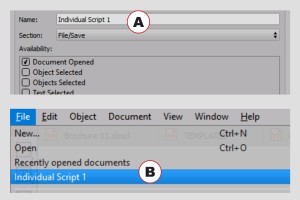
With the new script function you can reach for comfort and security in VivaDesigner. For the first time scripts can be started via the script palette, bit also via the program menu. More that 20 predefined areas give you the freedom to place your scripts in the progam menu whereever you want them.
Convert Text to Paths

You can convert text outlines to object paths and edit these paths. At the same time, holes in letters are retained. These new objects can also contain text or images.
Pathfinder
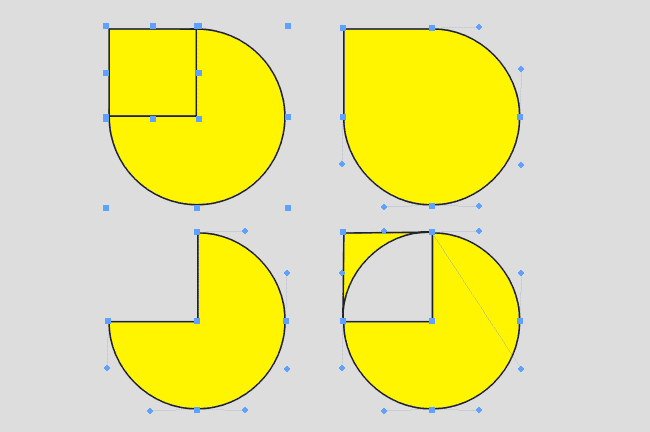
Several objects can be combined to one object with the Pathfinder. Thus you can create compound paths in a simple way. With this function, you can also create transparent holes in objects.
Fast Object/Image Rotation
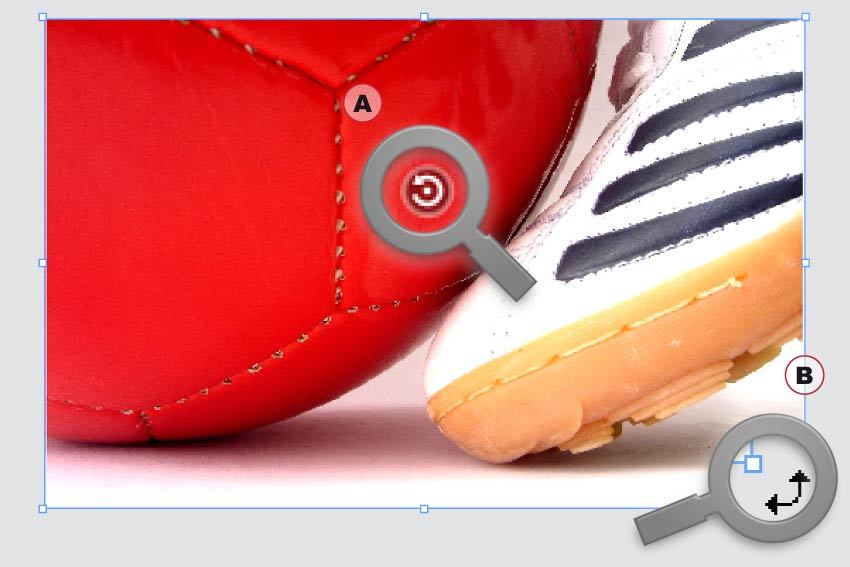
With the new Rotation tool, image content (A) and objects (B) can be rotated in seconds without changing tools.
Quark XPress Conversion
With the introduction of VivaDesigner 8, we offer the optional service of a conversion from QuarkXPress documents in formats 4.0 to 9.0. Send us your QuarkXPress documents to check the quality of the conversion. Depending on the program edition a certain amount of documents are converted free of charge, for additional documents we raise a minimal administration fee.
Faster than ever

VivaDesigner has been made considerably faster in many functional areas. The opening of documents has been accelerated threefold, and text entry by ten to a hundredfold.
Clipping (Visualize)
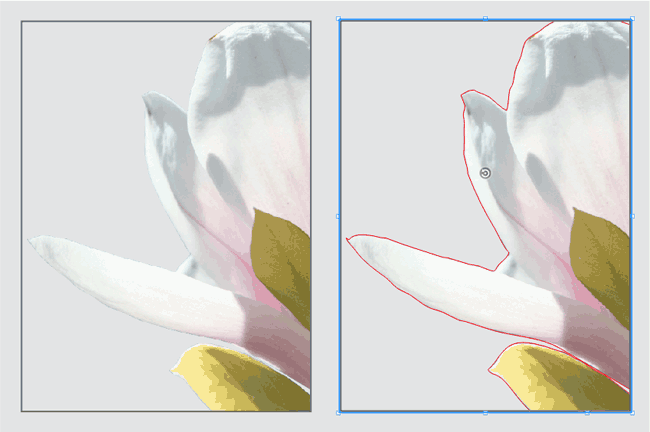
You have often asked yourself why an image is not transparent or why an incorrect crop is displayed? To find the answer you must normally open the image in an image editing program. VivaDesigner visualises optionally the clipping path and the Alpha channel.
Clipping (Automatic)
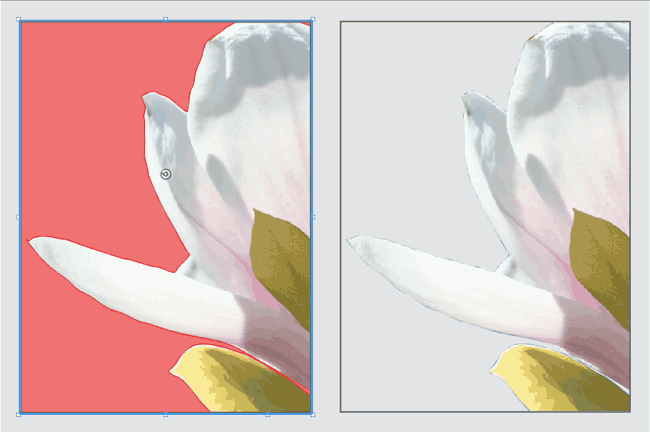
Normally the borders of an image can only be displayed transparent if an Alpha channel or a clipping path exists. VivaDesigner 8 can display images with white or uni-colored borders as transparent automatically (clipping), so that you often save yourself this time-consuming work.