A new design for palettes was established with version 9.0. Now this new design is also available for dialogs.
Consistent Interface (9.5)
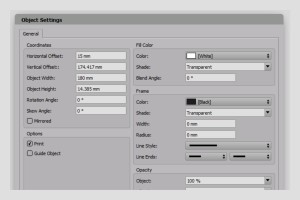

A new design for palettes was established with version 9.0. Now this new design is also available for dialogs.
The new Web Edition makes design in the browser a unique experience. Whether you’re editing one, ten or a hundred document pages, the speed is so fascinating that you won’t notice a difference between a desktop and web version, even at low bandwidths. Depending on your configuration, you can print documents directly to the local printer and drag and drop images directly from the desktop into the layout document.

You can convert text outlines to object paths and edit these paths. At the same time, holes in letters are retained. These new objects can also contain text or images.
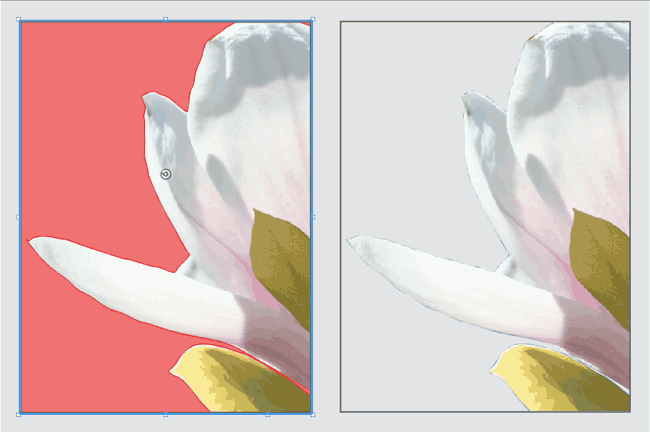
Normally the borders of an image can only be displayed transparent if an Alpha channel or a clipping path exists. VivaDesigner 8 can display images with white or uni-colored borders as transparent automatically (clipping), so that you often save yourself this time-consuming work.
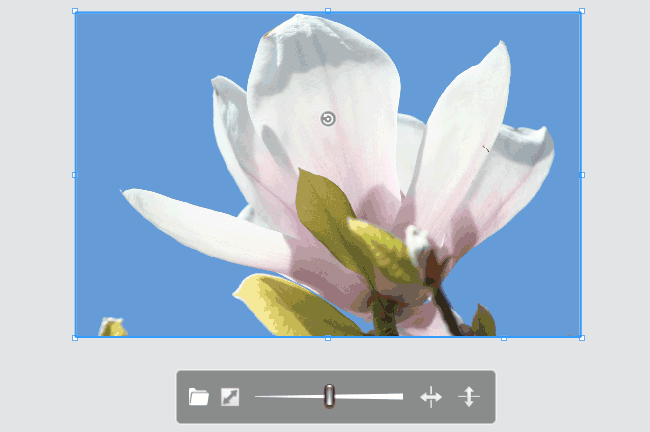
With the new selection point, picture objects can be scaled without using any additional shortcuts. With a simple click on the Fit symbol, image objects are proportionally filled automatically so that no white space appears.
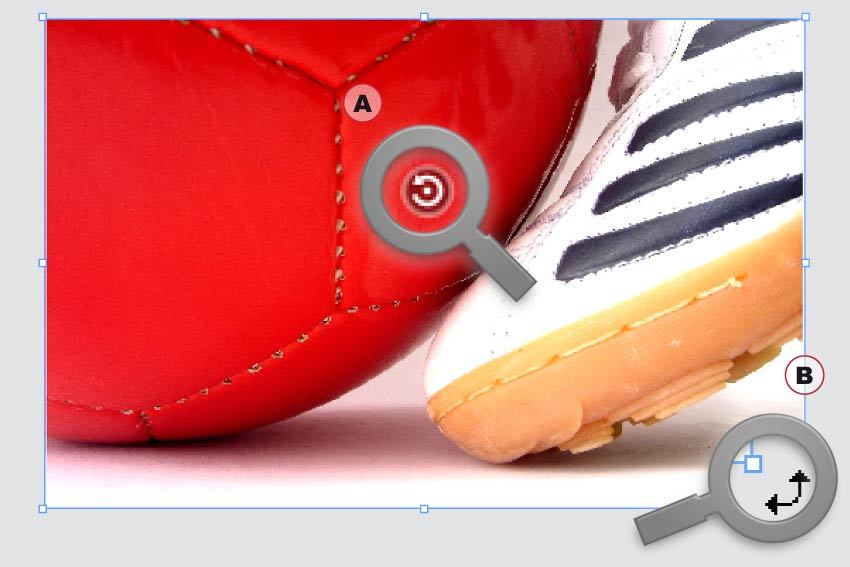
With the new Rotation tool, image content (A) and objects (B) can be rotated in seconds without changing tools.
With the introduction of VivaDesigner 8, we offer the optional service of a conversion from QuarkXPress documents in formats 4.0 to 9.0. Send us your QuarkXPress documents to check the quality of the conversion. Depending on the program edition a certain amount of documents are converted free of charge, for additional documents we raise a minimal administration fee.
VivaDesigner has been made considerably faster in many functional areas. The opening of documents has been accelerated threefold, and text entry by ten to a hundredfold.
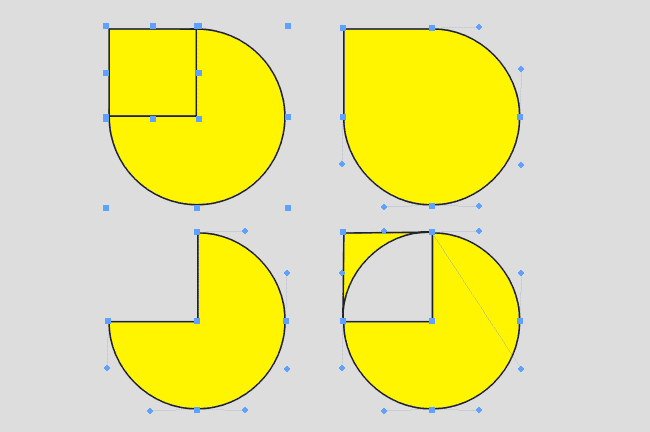
Several objects can be combined to one object with the Pathfinder. Thus you can create compound paths in a simple way. With this function, you can also create transparent holes in objects.
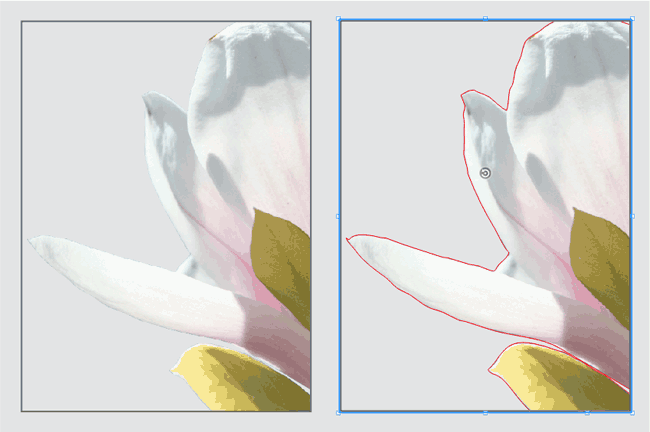
You have often asked yourself why an image is not transparent or why an incorrect crop is displayed? To find the answer you must normally open the image in an image editing program. VivaDesigner visualises optionally the clipping path and the Alpha channel.